Our editorial verdict
Pika is a candidate for creators who want to explore several types of media within one platform. Its published app lineup gives you starting points for video, imagery, characters, and sound. That breadth is the clearest reason to consider it.
Whether it deserves a place in your own production workflow depends on something a showcase cannot establish: how reliably it follows your briefs at an acceptable cost. Treat the public examples as inspiration, then test a small project before making a larger commitment.
Reasons to shortlist it
- Creative tools across several media formats.
- Dedicated apps for specific tasks.
- Published examples worth exploring for visual direction.
Questions to resolve first
- How many attempts produce a usable result?
- Does your preferred model preserve important details?
- Do the total cost and plan terms suit the project?
How this review was prepared
This assessment uses Pika’s official product descriptions, pricing information, and published imagery. We inspected the showcase images reproduced here. We did not run independent generations, measure rendering speed, or test audio output.
Accordingly, this review does not assign a performance score or present a success rate. Observations about the images refer to those specific selected examples. Workflow advice and fit assessments are editorial judgments, not benchmark results.
Primary references: Pika’s product overview and official pricing.
Pika AI results: what the examples show
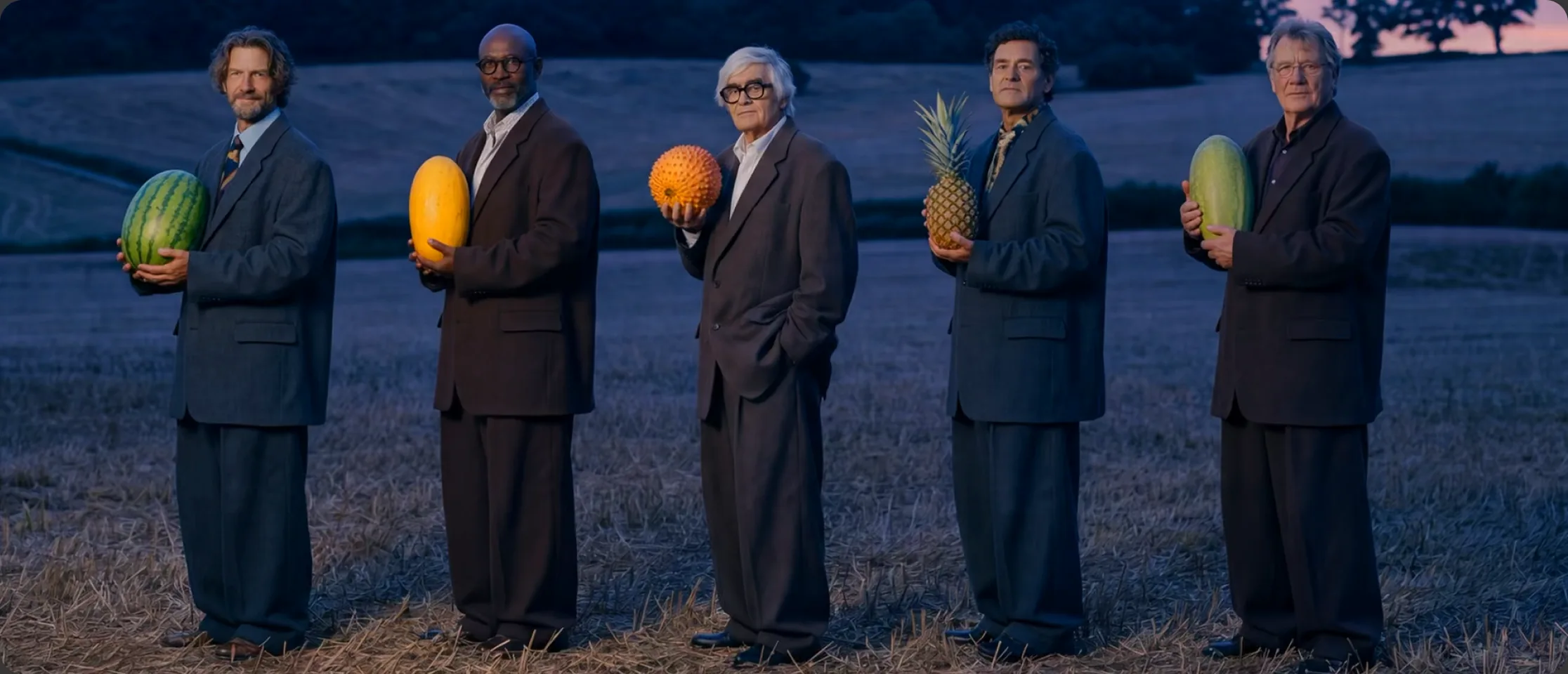
The opening image uses repeated figures, colored props, and a controlled setting to create a distinctive composition. As a still, it suggests a visual direction; it does not establish motion quality, continuity, or how many attempts were required.

Product imagery
This preview places a bottle against golden clouds, with lighting that supports the scene’s warm tone. It is a useful reference for mood and composition.
For a real product brief, test exact packaging, logos, label text, and proportions. A compelling concept image does not by itself prove accurate product reproduction.
Explore product-image workflows →
Character concepts
The miniature figure and larger hand create a clear sense of scale. The example illustrates how a character can sit within a carefully staged scene.
One image cannot demonstrate that a character remains consistent across angles, actions, or separate clips. If continuity matters, make that a specific test.
Explore character creation →Video and audio require their own evaluation
Inspect an entire video rather than its best frame. Listen to a full audio result rather than judging the tool by its description. The images on this page do not provide evidence about pacing, lip sync, pronunciation, or soundtrack timing.
Use the AI video guide and AI audio guide to choose which workflow to evaluate next.
Pika AI strengths
Several creative tasks in one place
Pika’s product overview lists video generation, image editing, character creation, and audio tools. For an early concept, this offers several ways to explore a direction without beginning with a different service for each format.
Task-focused apps
Apps such as Product Shot, Extend Video, and Color Grade describe a specific creative job. Our assessment is that this can make the starting decision clearer: choose the task, then investigate the relevant controls.
Room for visual experimentation
The examples above are useful creative references because they present distinct choices about scale, setting, and lighting. You can use that kind of observation to write a more specific brief rather than simply asking for an impressive image.
For a broader feature overview, read Pika AI: Features, Examples & Beginner’s Guide or browse Pika Apps.
Limitations and unanswered questions
Selected examples do not show typical performance
Published showcases omit the failed attempts, revisions, and settings that may sit behind a result. They cannot tell you how often the same quality will appear for a new prompt. Requesting similar imagery does not guarantee a similar outcome.
The model and settings matter
A platform-level review is not a test of every available model. Evaluate the particular model and output settings you intend to use, and record them alongside the result. Changing the model makes it harder to compare attempts fairly.
Detail and continuity still need inspection
Text accuracy, object geometry, anatomy, and scene continuity are useful review criteria for generated media. These are general risks to check, not defects we measured in a Pika test. Do not approve an asset solely because the thumbnail looks convincing.
Iteration changes the real cost
The cost of one generation is only part of a project’s budget. Rejected attempts, revisions, and external editing also consume resources. Decide what counts as usable before comparing the apparent price of different tools.
If a test result misses the brief, simplify the scene and change one instruction at a time. The troubleshooting guide can help organize your next attempt.
Pricing and value for money
Pika Create currently lists these monthly prices and credits in USD. Annual billing differs, and Fancy has higher tiers. Details were checked September 23, 2026.
| Plan | Price | Included credits |
|---|---|---|
| Free | $0/month | 0; packs only |
| Starter | $10/month | 900/month |
| Creator | $35/month | 3,150/month |
| Fancy | From $95/month | From 8,550/month |
Credit consumption varies by model and settings. Plan credits do not roll over; purchased top-ups expire after 365 days. Pika Create top-ups cannot be used with its API.
Budgeting example, not a Pika benchmark: If five attempts are needed for one usable result, count the cost of all five when evaluating that asset. Divide your actual generation spend by the number of outputs you keep.
Read the pricing and credits guide and verify current terms on Pika’s pricing page. Developers should evaluate API Club separately.
Who should consider Pika?
| Your project | What to evaluate |
|---|---|
| Social content concepts | Whether the visual hook stays clear at your intended crop and duration. |
| Product mood boards | Whether the atmosphere helps communicate your concept; verify product accuracy separately. |
| Character storytelling | Identity, clothing, and proportions across multiple shots. |
| Exact brand or factual reproduction | Text, logos, details, and permissions before treating a result as final. |
For a demanding brief, compare tools using the same reference, output requirements, and acceptance criteria. We have not run a head-to-head benchmark here. Explore Pika vs Runway, Pika vs Kling, or the alternatives guide for your next research step.
A practical test before you subscribe
- Write a small brief. Pick one scene, subject, and intended use. Define the details that must survive unchanged.
- Set a spending limit. Check the displayed credit cost and decide how many attempts you will allow.
- Record the settings. Save your prompt, reference, model, and output options with each result.
- Inspect at delivery size. Watch full clips and examine stills at the resolution and crop your audience will see.
- Compare usable outputs. Count accepted assets, time spent, and credits consumed. Use those observations to decide whether to continue.
Start with the beginner’s tutorial and video prompt guide if you need help writing the first brief.
Pika AI review FAQs
Is this a hands-on Pika AI review?
No. It is a research-based editorial review of official information and published examples. We have not run independent generations or measured performance.
Does Pika produce the same quality as its showcase every time?
The public examples cannot establish a typical success rate. Evaluate repeated outputs from your own brief before relying on a tool for production.
Is Pika worth paying for?
That depends on your usable-output rate, budget, and required control. A small, documented test is more informative than judging value from a single attractive example.
Can I evaluate Pika without a monthly subscription?
The current Free plan has no included monthly credits, but Pika offers one-time credit packs. Check its pricing page for current offers and conditions.
Should beginners start with images or video?
Choose the format your project needs. A simple still can help establish composition; a short motion test is useful when movement is the main requirement.
Make the decision with your own brief
The published examples give you a direction to explore. A small test will tell you much more about whether Pika fits your work.
Open Pika ↗Next: Feature guide · Pricing · Use cases
Sources and image credits: Pika and Pika pricing. This independent site is not affiliated with or endorsed by Pika.