
What is Seedream 5?
“Seedream 5.0 is an image generation and editing model built for complex visual tasks. It’s excellent for high-density infographics, precise editing, and native multilingual text. And it automatically breaks compositions into editable layers, while preserving transparency.”
Source: Pika’s Seedream 5 page.
Seedream is made by ByteDance’s Seed team. Where most image models focus on a single picture, Seedream 5 is pitched at design work: layouts packed with information, text that has to be right, and assets you can take apart and reuse.
Seedream 5.0 Lite and Pro
ByteDance has released two versions of Seedream 5.0:
Seedream 5.0 Lite
Headline features include “Visual Reasoning in Image Generation,” “Real-time Search Generation” and “Precise style transfer” from a reference image. ByteDance says it stayed accurate “even in visuals containing up to nine subjects,” while noting it is “a relatively small model” with room for improvement.
Seedream 5.0 Pro
Four core capabilities: “Complex information visualization,” “Interactive precision editing,” “Realistic imagery and portrait textures,” and “Native multilingual input and generation” for “over ten commonly used languages.” It also “supports intelligent layer separation.”
Sources: ByteDance Seed, Introducing Seedream 5.0 Lite and Introducing Seedream 5.0 Pro.
Which one does Pika use? Pika’s Seedream 5 page doesn’t say whether it offers Lite, Pro or both. Check the options shown in the app.
What Seedream 5 is good at
Infographics and dense layouts
ByteDance says it “accurately transforms data, concepts, and dense text into professional layouts.”
Text in many languages
“Native multilingual text,” with support for “over ten commonly used languages” on the Pro version.
Precise editing
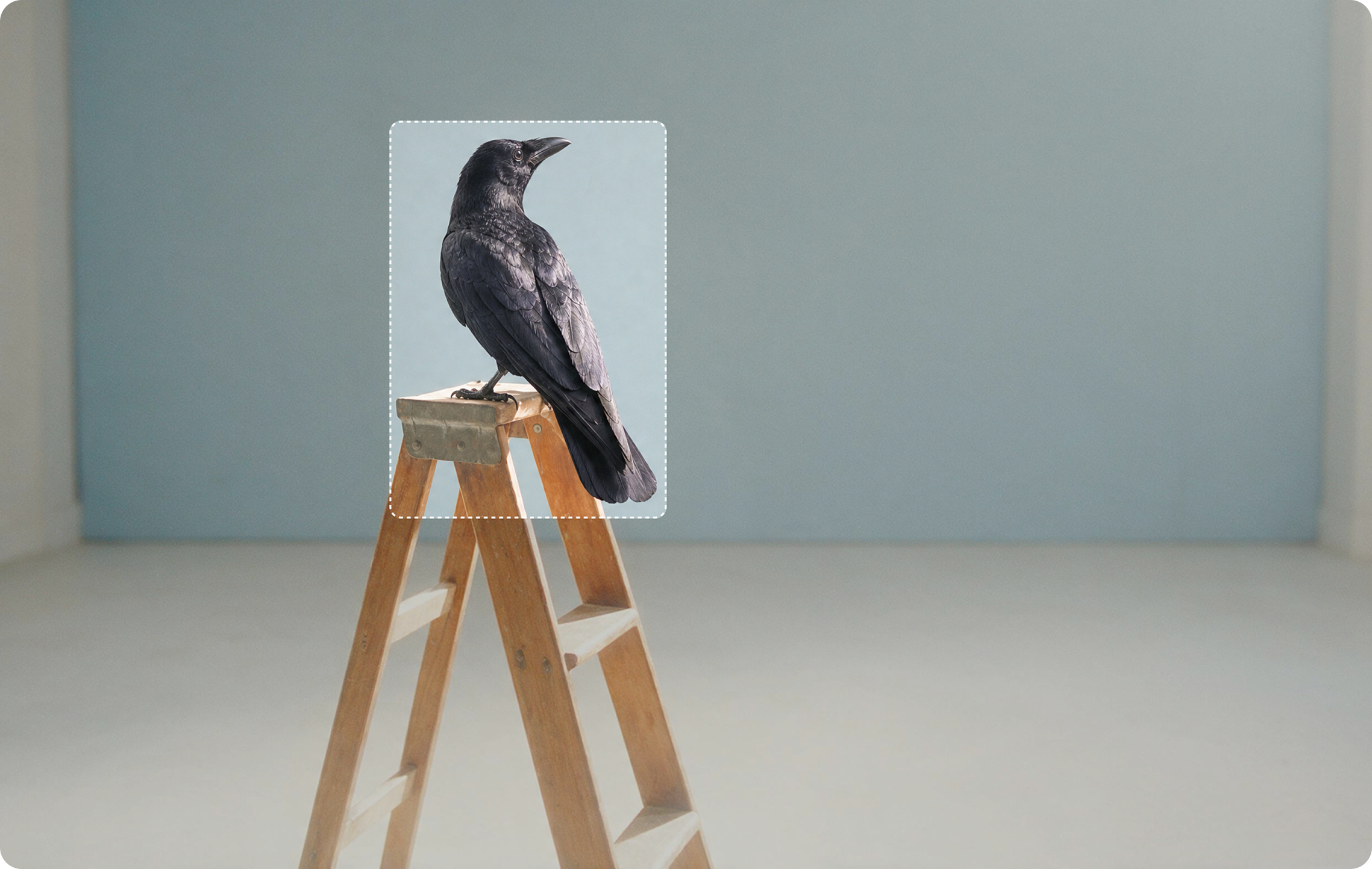
The Pro version supports point and lasso selection, sketch rendering, colour and material replacement, and combining several images.
Editable layers
Pika says it “breaks compositions into editable layers, while preserving transparency,” useful for designers who want to rearrange elements.
ByteDance is candid about limits: for the Pro version it says there is “still room to improve in finer-grained text rendering and pixel-level editing consistency.” Always check small text and fine edits closely.
How to use Seedream 5 in Pika
- Open Seedream 5 at create.pika.art/apps/seedream-5 and sign in through Pika’s login page.
- Choose to generate or edit, and pick a version if the app offers one.
- Attach any references (a subject, a style frame, a photo to edit) and @mention them.
- Write the prompt using the tips below; list every piece of text exactly.
- Pick the aspect ratio for the layout: tall for infographics, landscape for banners.
- Check the credit cost, then generate.
- Proofread every word and check any layers or cut-outs before using them.
Pika’s page doesn’t list prices, sizes or reference limits for Seedream 5; the app shows them. See Pika pricing.
Prompt tips for Seedream 5
For infographics
- Give a title in quotes and list each section’s text in order.
- Say how many items: “five steps,” “three columns.”
- Describe the structure: timeline, flowchart, comparison table, labelled diagram.
- Keep labels short: one to four words each.
- Name a palette and style: “flat design, warm brown and cream.”
For multilingual text
- Write the text in the target language inside quotation marks, with accents.
- Say which language goes where: “English headline, French subtitle beneath.”
- Check with a native speaker before publishing.
For edits
- Name the object and the change: “Change the sofa to deep green velvet.”
- Say what stays: “Keep everything else exactly the same.”
Example prompts and results
Six prompts built around Seedream 5’s strengths. Each shows the result from one generation, what to check and one change to try. The prompts are our own.

Infographic: coffee journey
A clean vertical infographic titled “From Bean to Cup” showing five steps: Harvest, Dry, Roast, Grind, Brew. One simple icon and one short line of text per step, connected by a curved path. Warm brown and cream palette, flat design, generous spacing.
What to look for: All five labels spelled correctly, in order, with consistent icons.
Try one change: Add a sixth step, “Enjoy,” and check the layout still balances.

Bilingual event poster
A modern event poster for a summer night market. Headline “Night Market” in English and “Marché de nuit” in French beneath it, date line “Saturday 12 July”. Lanterns and food stalls illustrated in bold flat colours, dark blue background.
What to look for: Both languages render correctly, including the accent in “Marché.”
Try one change: Replace French with Spanish: “Mercado nocturno.”

Chalkboard menu
A hand-lettered chalkboard café menu on a brick wall listing “Coffee / Café”, “Tea / Thé” and “Cake / Gâteau” with small doodles of cups and cake slices. Warm café lighting.
What to look for: Every word and accent is correct and readable.
Try one change: Add prices after each item and check the numbers.

Colour and material swap
Change the sofa to deep green velvet and the rug to natural jute. Keep the room, lighting, plants and everything else exactly the same.
What to look for: Only the sofa and rug change; shadows and light still match the room.
Try one change: Swap only the sofa colour, leaving its material, to see how precise the edit is.

Layered design asset
A product banner: a pair of white headphones on the right, soft gradient background from peach to lilac, headline “Hear Everything” on the left in bold sans-serif. Clean, modern, commercial.
What to look for: Headphones, text and background come out cleanly separable if layer output is offered.
Try one change: Move the headline to the top and compare the composition.

Realistic portrait
A portrait of a fisherman in his sixties with a grey beard and a navy knitted cap, on a harbour at dawn, soft side light from the left, visible skin texture, shallow depth of field. Photographic.
What to look for: Natural skin texture and believable light on the face.
Try one change: Change the light to “overcast midday” and compare the mood.
From Seedream 5 images to video
Designs and portraits from Seedream 5 can become short clips in Pika’s Video Studio. Keep the text still and animate everything around it.
Infographic, step by step
Animate @infographic. The curved path draws itself from top to bottom and each icon pops in gently. Text stays perfectly still. Camera static.
Night market poster, glowing
Animate @poster. Lanterns sway and glow, steam rises from the stalls. Headline text stays still. Camera static. Keep the flat style.
Headphone banner to ad
Brief: wireless headphones for commuters. Message: hear everything. Soft gradient background, slow orbit, gentle light sweep. Keep the headphones exactly as shown.
Fisherman portrait, living
Animate @fisherman. He blinks and looks out to sea; the breeze moves his collar. Camera static. Keep his face exactly as in the image.
Motion prompts are our own. Techniques: image-to-video guide and product ads.
Related Pika tools
When to use another model
| If you need… | Consider |
|---|---|
| A single transparent PNG cut-out | GPT Image 2.5 |
| Photo-real edits that keep identity across a series | Nano Banana |
| Six options per prompt, up to 4K | Seedream 4 |
| An image you’ll animate with speech | Grok Imagine |
Full comparison: Pika image models.
Common problems and fixes
| Problem | Fix |
|---|---|
| Small text is wrong or blurry | Make labels shorter and larger; reduce how much text is on the page |
| Infographic steps in the wrong order | Number the steps in the prompt and list them in order |
| Accents or characters missing | Type the exact text with accents inside quotation marks |
| Edit changed nearby areas | Add “keep everything else exactly the same”; edit one element at a time |
| Layout feels cramped | Ask for “generous spacing” and use a taller aspect ratio |
Seedream 5 FAQs
Who makes Seedream 5?
ByteDance’s Seed team. Pika offers it inside its apps.
Is Seedream 5 good for infographics?
Yes, that’s one of its headline uses. Pika calls it “excellent for high-density infographics.” Keep labels short and proofread every word.
Which languages does it support?
ByteDance says Seedream 5.0 Pro supports “over ten commonly used languages.” Test your language and check the text carefully.
What are editable layers?
Pika says Seedream 5 “automatically breaks compositions into editable layers, while preserving transparency,” so elements like text, product and background can be rearranged separately.
Does Pika use Seedream 5 Lite or Pro?
Pika’s page doesn’t say. Check the options shown in the app.
Is this the official Pika or ByteDance website?
No. pikaais.com is an independent informational guide, not affiliated with Pika or ByteDance.
Make one infographic
Copy prompt 01, generate it, and proofread every label. Then add one more step and see how the layout adapts.
Open Seedream 5 ↗Next: Image models · Nano Banana · AI image hub
Sources: Pika Seedream 5, ByteDance Seed’s Seedream 5.0 Lite and Seedream 5.0 Pro announcements, and Pika pricing, checked September 24, 2026. Images: Pika. Prompts and tips are our own. Not affiliated with ByteDance.